Show me the talk.
Watch how top developers actually steer AI.
Not the blog post. Not the cleaned-up commit. The real session — every prompt, every correction, every decision.
Everyone's shipping 10x faster with AI. How?
- —Blog posts are polished after the fact — they skip the parts that mattered.
- —Screencasts are edited to the highlights — never the dead ends.
- —Commits show the WHAT, never the WHY or the conversation that led there.
The part that matters — how they prompted, when they corrected, what they rejected — is invisible.
What you'll see
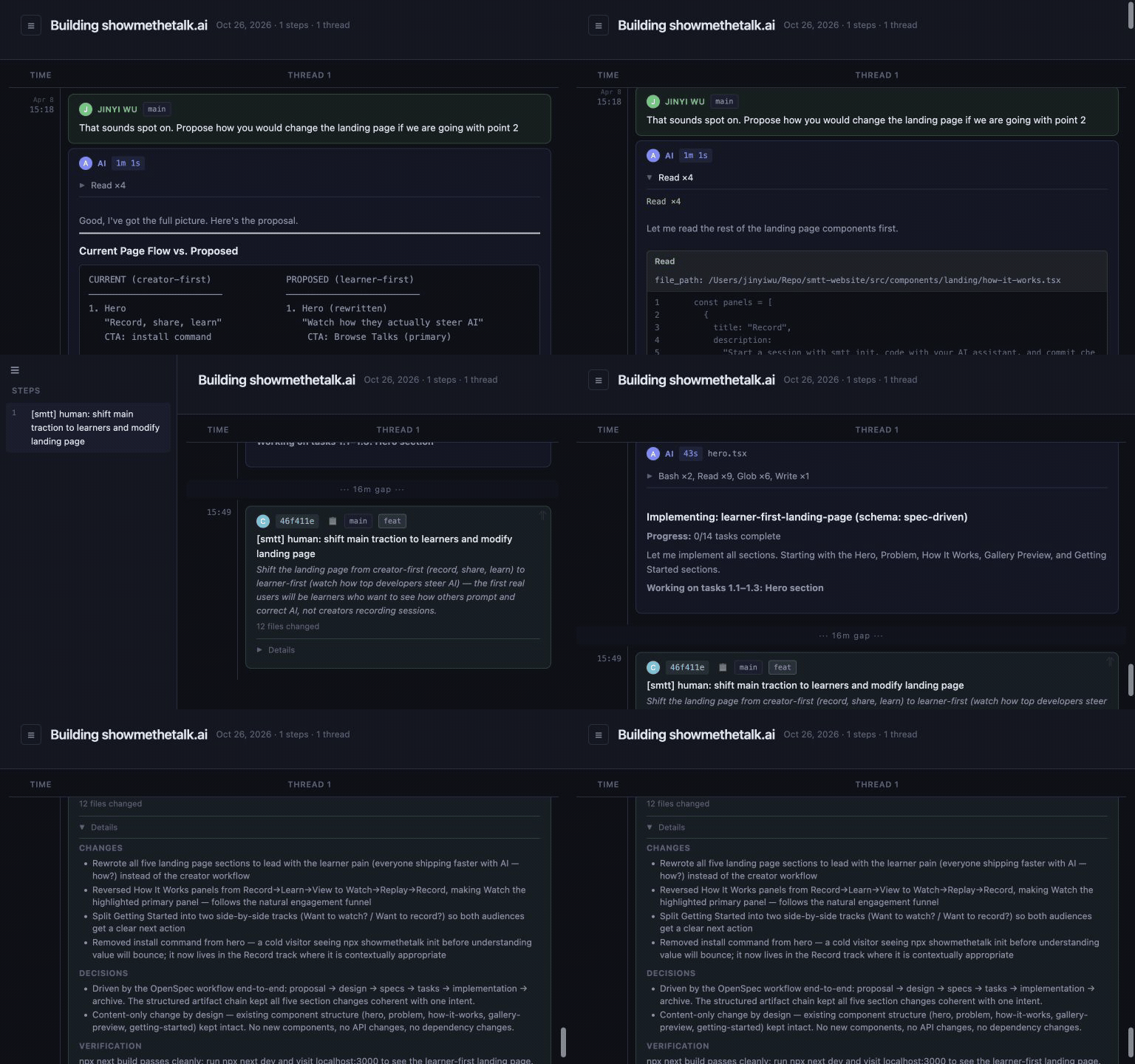
Watch
Browse the gallery and see visual timelines of real coding sessions. Every prompt, every decision, laid out in a swimlane view.
Browse gallery → pick a talk → see the timeline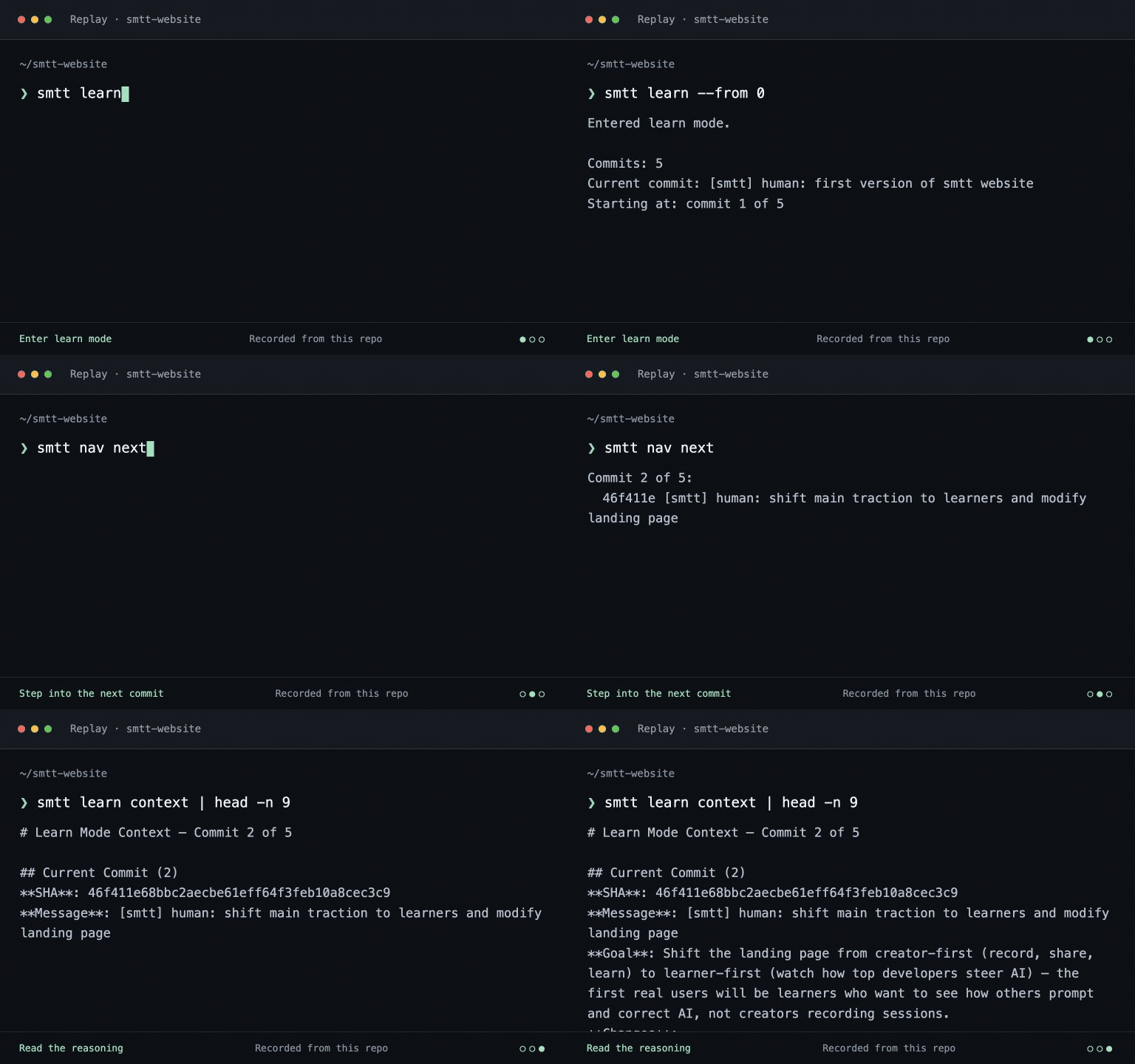
Replay
Clone any talk repo and step through commits in your own editor. See what the author saw — the full context behind every change.
git clone → smtt learn → /smtt:nav next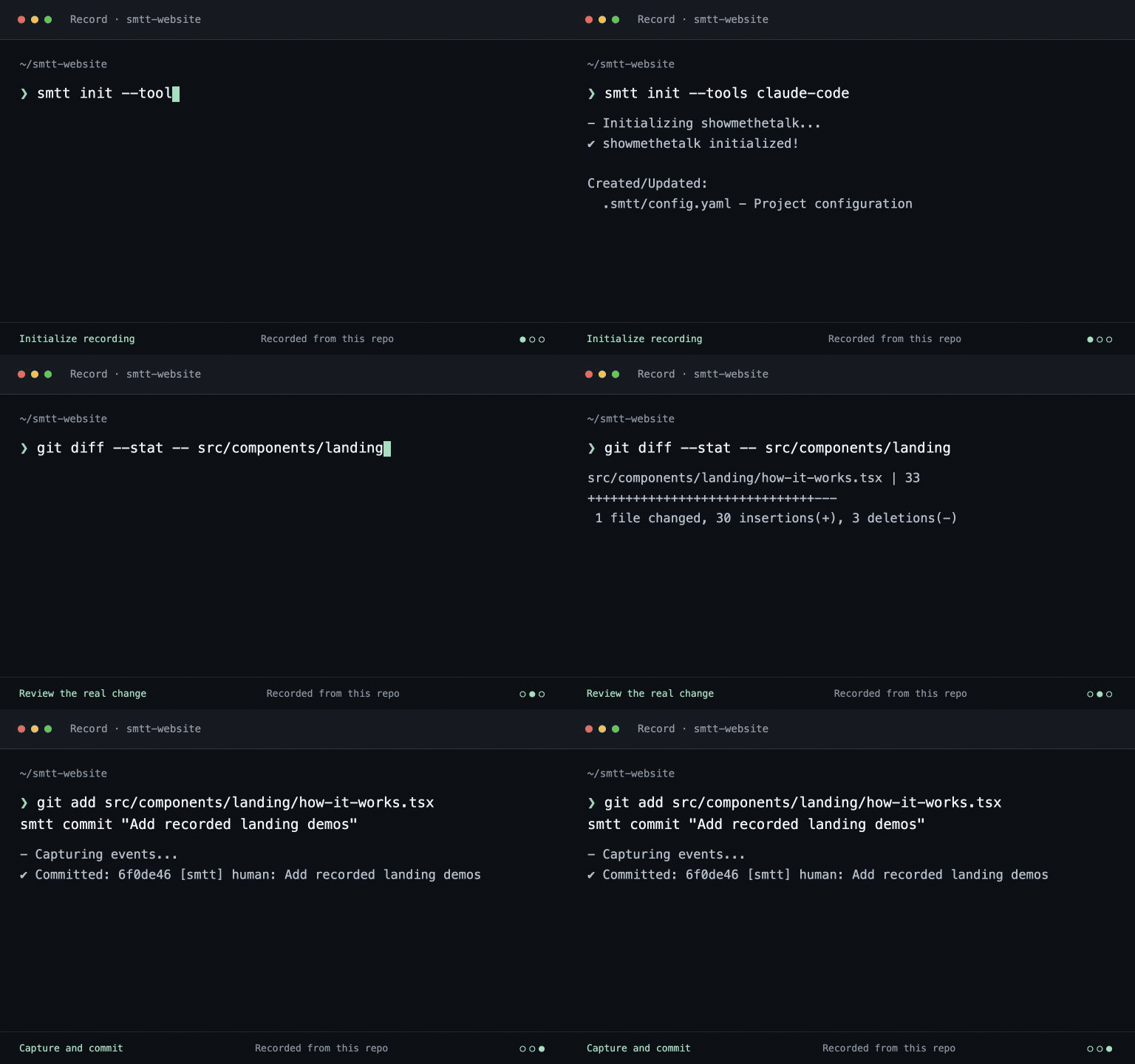
Record
Record your own sessions. Every prompt and decision is captured automatically. Share the real story of how you built it.
smtt init → code → /smtt:commit → git pushGet Started
Want to watch?
Browse talks in the gallery, or clone one to replay locally.
Clone a talk
git clone <talk-repo-url>Enter learn mode
smtt learnWant to record?
Capture your real coding sessions — every prompt and decision.
Install
npx showmethetalk initCommit
/smtt:commitPush
git push origin main